
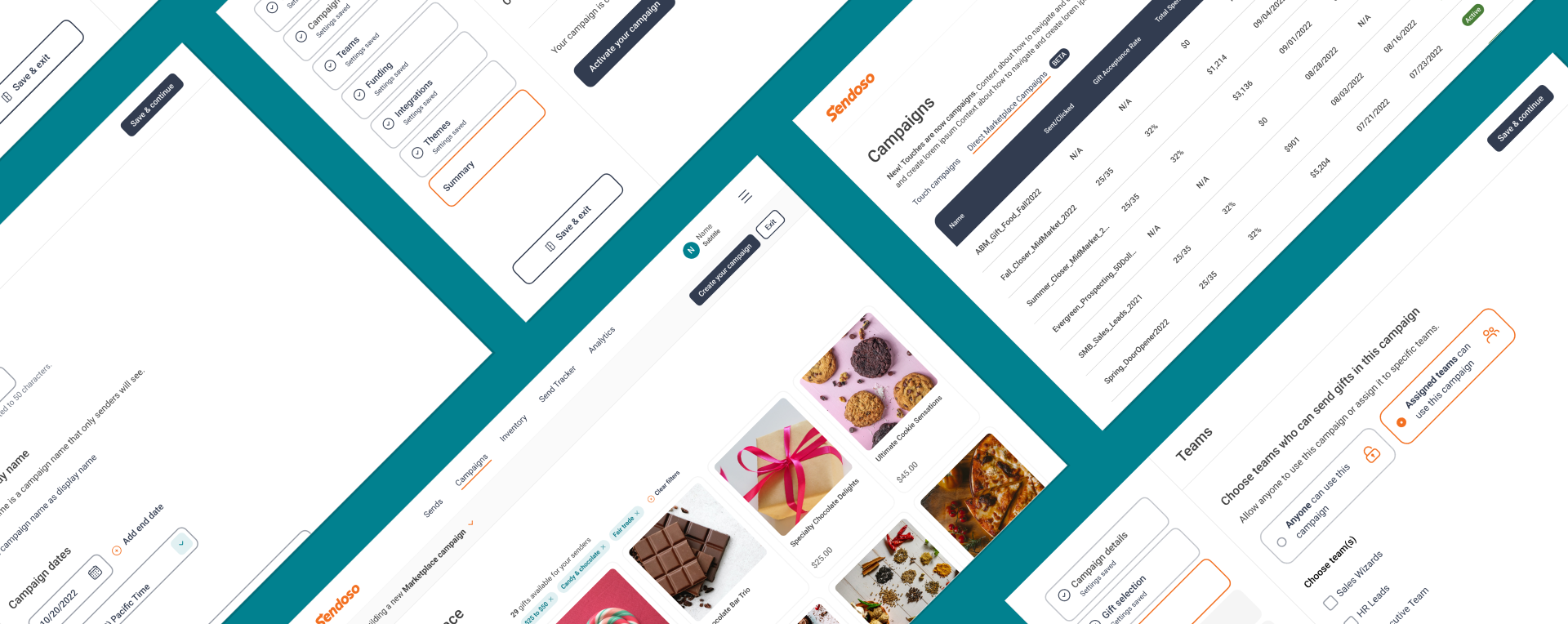
Sendoso Campaigns
Role: Lead Product Designer
Sendoso is a corporate gifting platform that enables sales and marketing professionals to send personalized gifts to help build relationships and close deals. Gifts are often sent as part of larger pre-defined campaigns, known as “Touches,” with hand-picked gifts and a specific goal in mind.
The existing Touches feature was cumbersome to use and lacking in some expected functionality. Working in close collaboration with product and research teams, I owned the design process for this core product area from concepting to prototyping to polished design.
Work currently in progress, please do not share.
Overview
Sendoso’s Touches are created by admin-level users, such as marketing managers, as something they can measure and track as other users send gifts. For example, a manager might create a Touch that allows other users to send out eGift coffee cards to potential clients as an incentive to book meetings. They might configure this Touch to be active for a set period of time and only allow members of a certain team to access it, and connect Touch activity to Salesforce for tracking purposes.
There are a handful of Touch categories including eGifts, direct-shipped physical gifts, and experiences. To create a new Touch a user would choose the type, the gift(s) to include from that type, and then configure the settings that act as rules for senders of that Touch.
The opportunity
The original Touch flow offered many areas for improvement, but there were handful of core areas to overhaul initially that were deemed to have the most impact based on feedback.
Gift selection was a big area for improvement. Browsing gifts to include in a Touch was only a visual experience if users clicked out to view the catalog in Airtable; otherwise, they relied on basic filters and card treatments with little detail. Users wanted an overall better browsing experience in-line with standard e-commerce expectations.
Users also wanted a way to streamline gift selection so that they could select a variety of gift options more easily. Some Touches were limited to a single gift option, which meant users were creating multiple Touches to allow their senders more flexibility.
Finally, Touch configuration was cumbersome with multiple settings squeezed into a handful of steps. Users weren’t always sure that settings were saved or that everything was done right, and it was difficult to move between steps. They wanted confidence in the process and easy, flexible navigation.
The approach
It was clear that a familiar e-commerce view for browsing gifts was a table stakes update, followed by streamlining gift selection and a configuration flow that was easier to use. We tackled the updates in that order.
The decision was made to focus on the “direct” Touch type initially. This category included all of the items that outside vendors — not Sendoso’s own warehouses — would stock and ship themselves. Direct was a popular category with users and had a wide selection of gifts with images and metadata that would serve as a good proving ground for our first e-commerce experience.
Direct Touches also have fewer complexities than other categories in terms of how they can be configured, so this would simplify the effort on that front.
Marketplace MVP
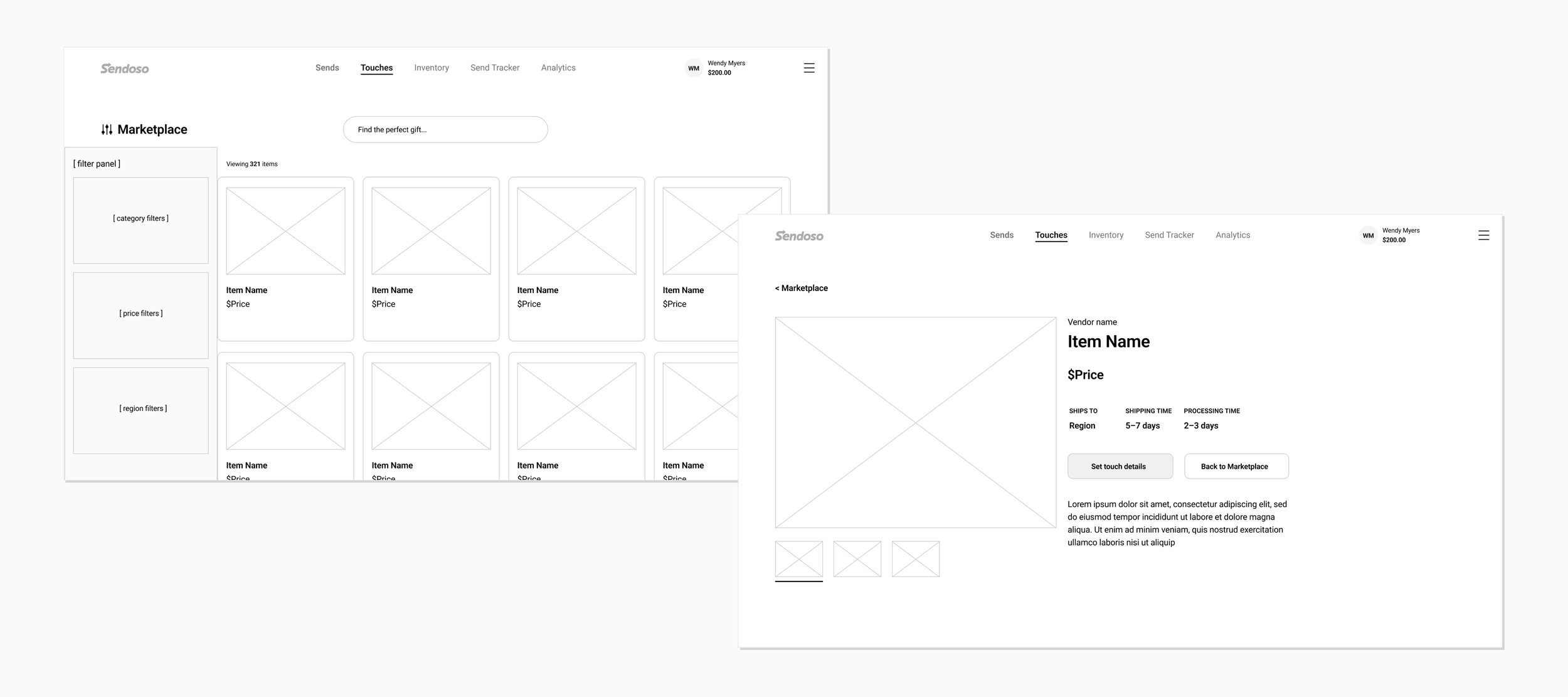
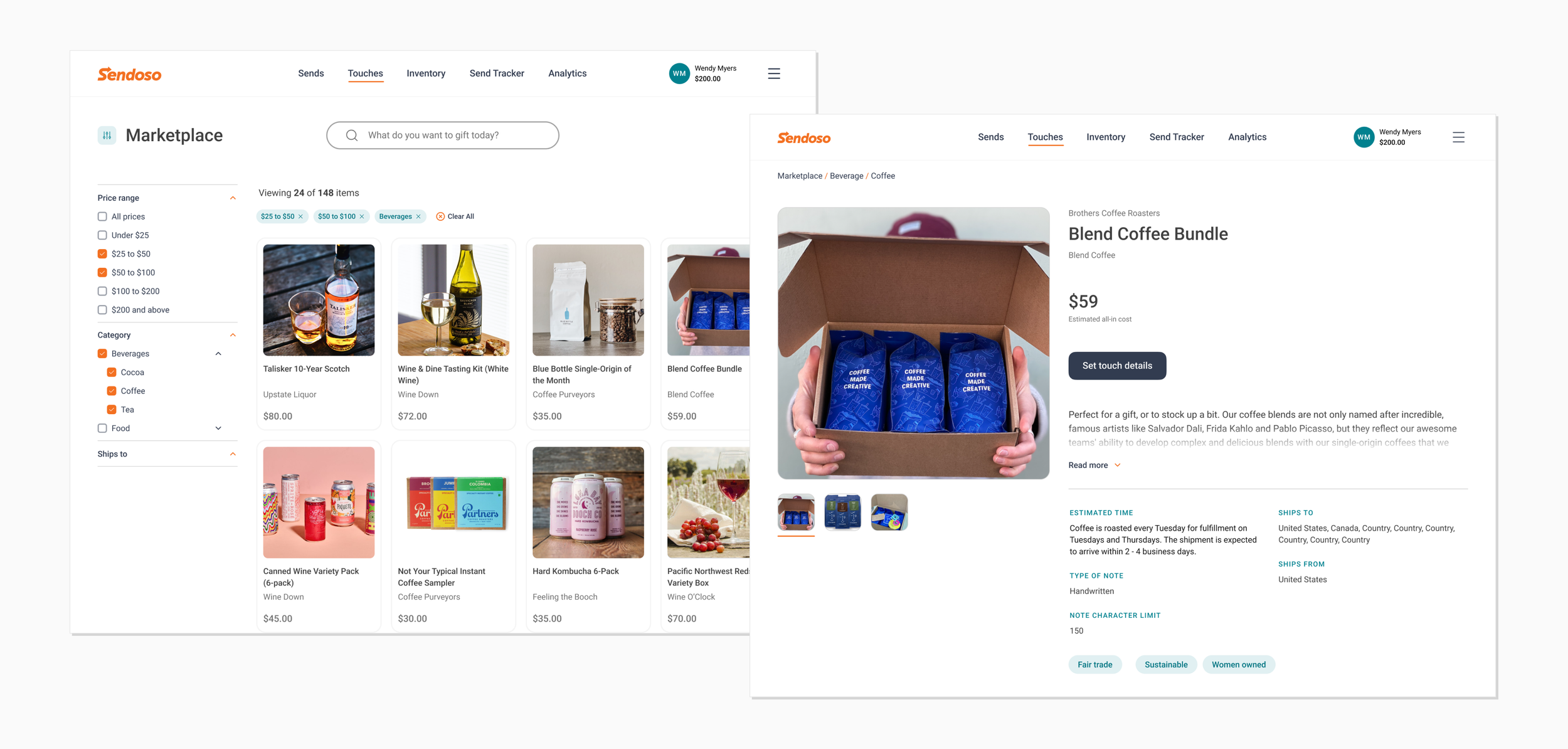
The e-commerce experience for direct products, known as Marketplace, was launched quickly for just that Touch type. If a user selected to create a direct Touch they would land in this new experience to browse, search, and filter to find the right gift.
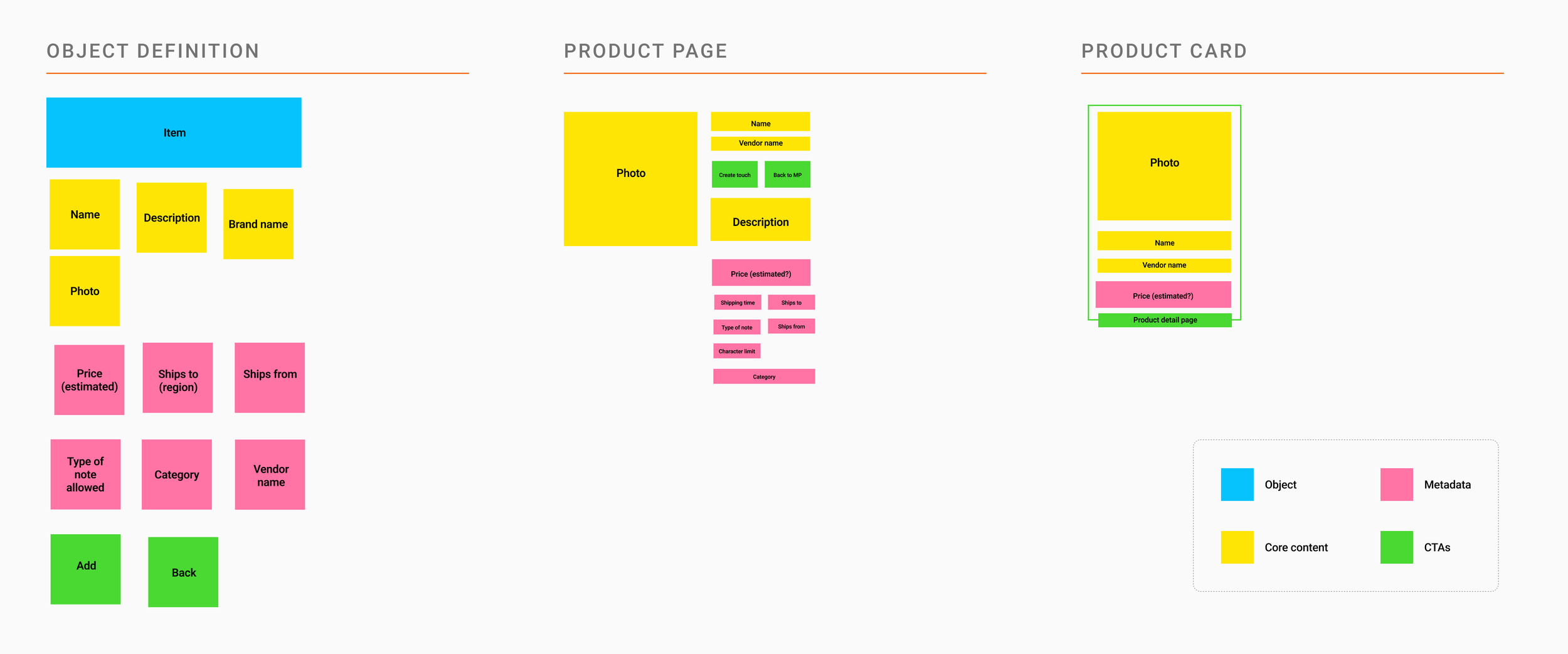
I worked with our product and catalog team to understand both the availability and priority of data that product cards and detail pages might show. We also prioritized basic filters for launch (set price ranges, category, etc.) and backburnered more advanced options (custom price ranges, searchable filters) for later releases based on user feedback.
Campaigns
With Marketplace up and running, we needed to explore how we might enable more streamlined gift selection plus build a new settings flow for configuring their campaign. In addition to tackling these needs, however, we needed to solve for a pivot from “Touches” to “Campaigns.” The Touch name never resonated well with our customers, but there were some hurdles beyond just terminology.
Touches Campaigns
Functionally, Touches were only built to accommodate a single direct gift item. We needed a new construct that would allow multiple gifts or a set of gifts as defined by certain parameters. Until we were able to migrate all the old Touches into new Campaigns, the two would need to live side-by-side. This meant that our testing needed to probe on how users might navigate these two similar (but functionally quite different) options.
Gift Selection
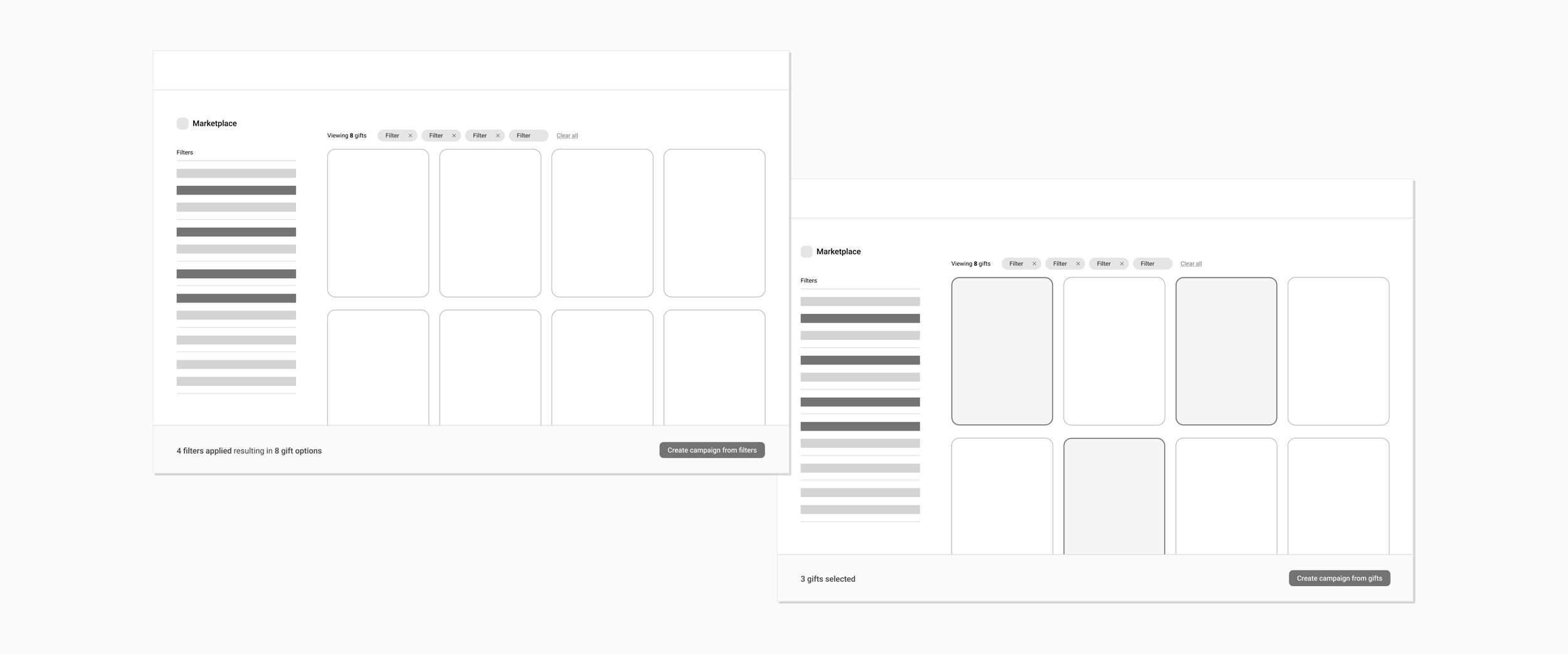
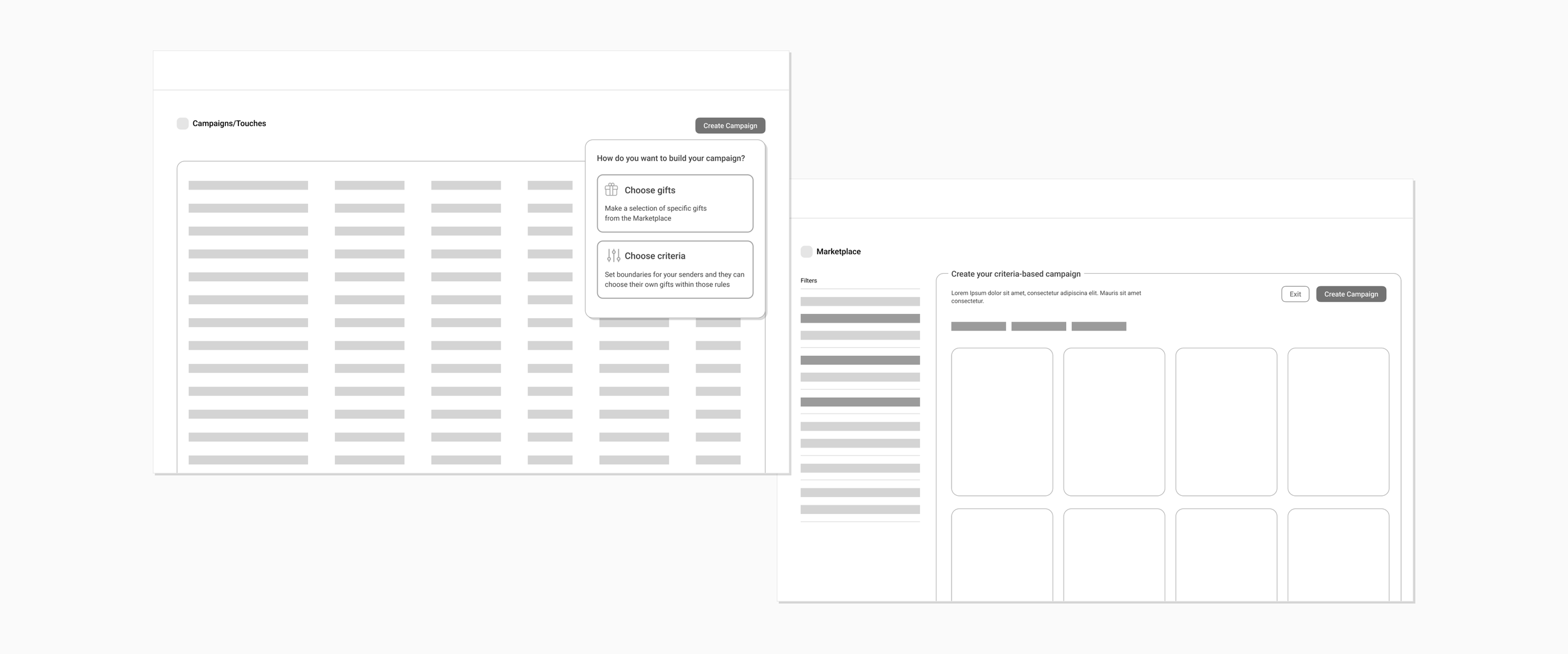
I explored ways that we might allow users more flexibility in choosing gifts in this new campaigns model. My approach was initially more open-ended, where a user would enter the Marketplace and be presented with a contextual CTA based on their choices. If they filtered a set of gifts, they could create a campaign based on all gifts resulting from those filters. If they made a selection of certain gifts, they could create a campaign of just those specific items.
This proved to be too complicated for our initial approach, however, and I settled on a cleaner solution: we would focus only on choosing gifts through filters by having users state what type of campaign they wanted to create first. We would then make it clear within Marketplace what “campaign mode” they were in. This would be easier to build but still provided a more flexible way for users to choose a variety of gifts.
Configuration
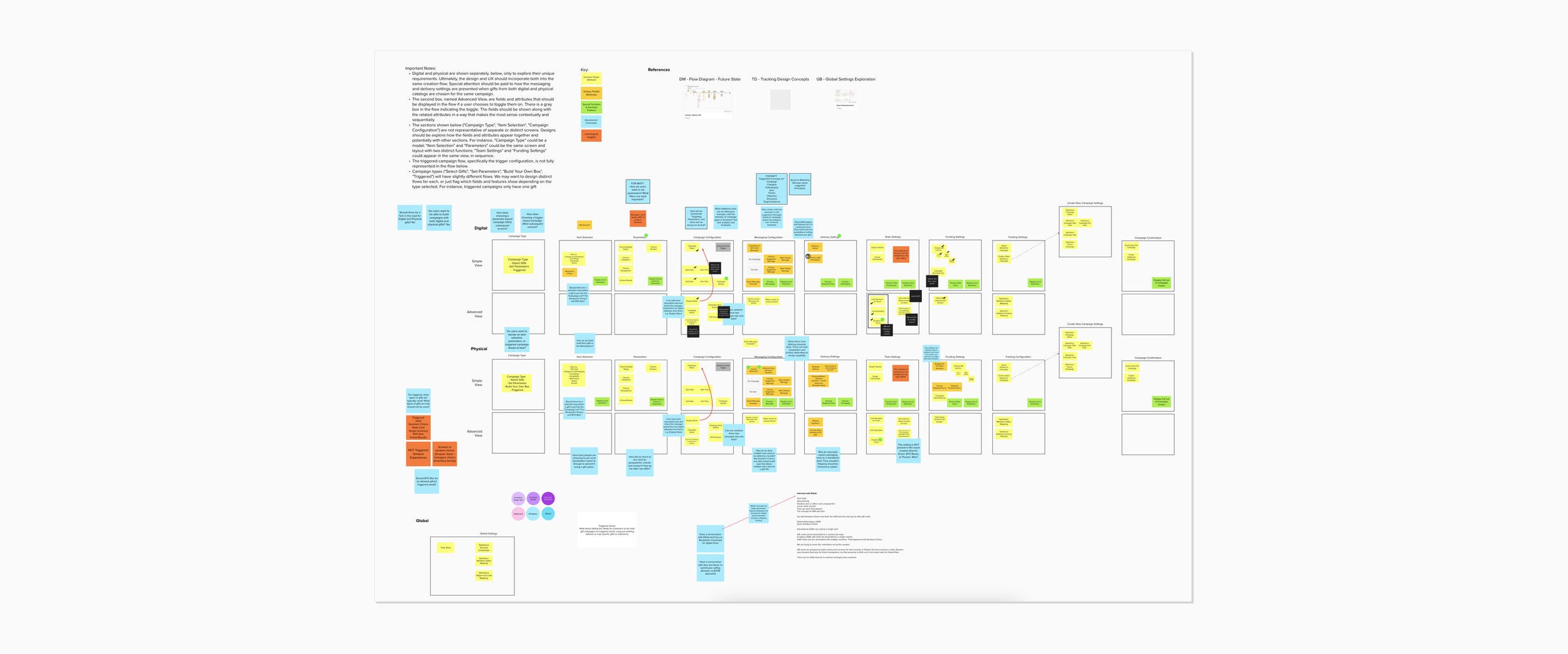
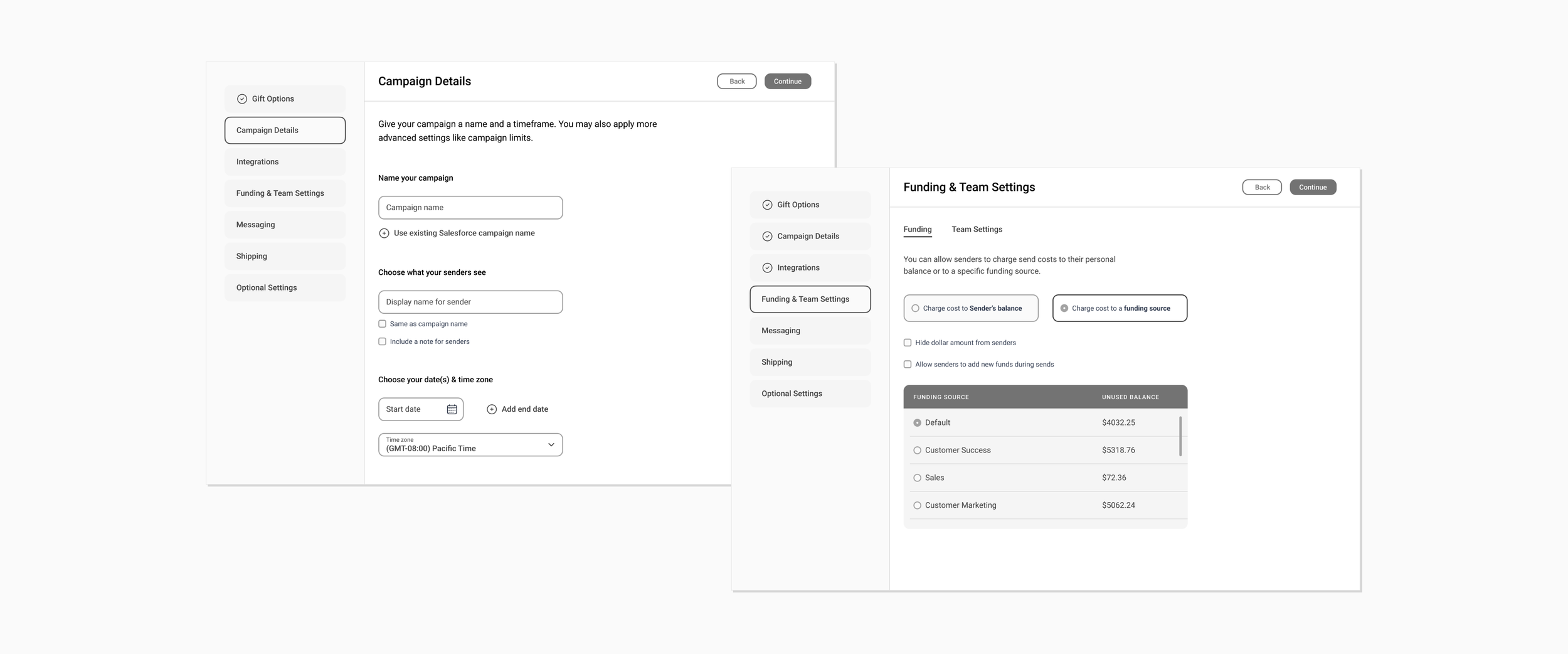
Finally, we tackled the configuration of the campaign itself once gift parameters had been selected in Marketplace. I collaborated with my PM to understand all of the settings available across all Touch types first, and then focused on just the direct category for this release. We leveraged analytics data and past research to better understand settings priority and step order.
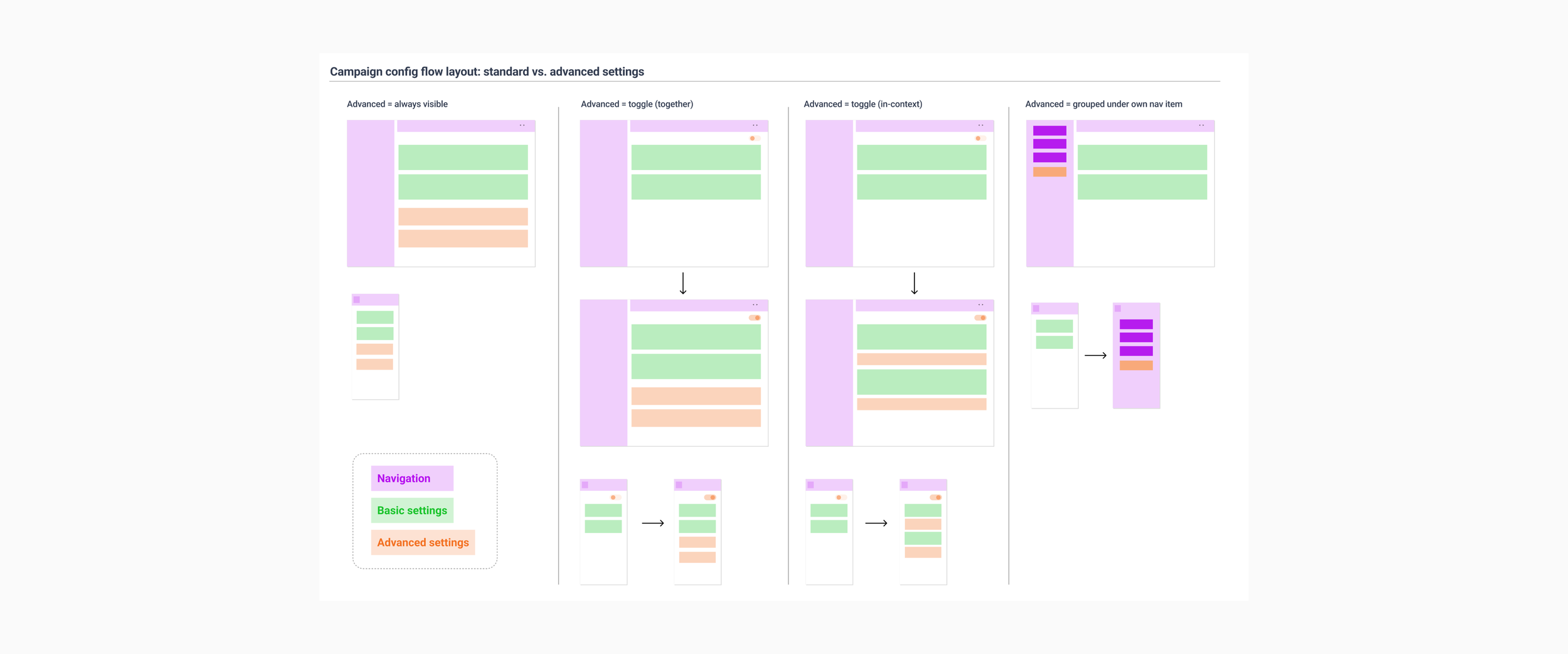
I then approached the flow more structurally thinking about zones and how to best handle more basic settings versus “advanced” options that saw less usage but were still necessary. Detailed wireframes helped the team understand how the flow felt with actual content and gave engineering a better sense of what we wanted to accomplish.
Pulling it all together
I built a polished prototype for usability testing that included landing page options to evaluate the Touch/Campaign conundrum, the gift selection experience, and the configuration flow. It was created using only existing design system components so that engineering could continue working un-blocked.
Feedback was largely positive. Users felt that the use of filters to define a campaign was easy and intuitive, though they did request the ability to remove specific gifts from a set. The configuration flow provided much-needed peace of mind but adjustments could be made to make it less linear and captive-feeling.
Touch/Campaign naming proved to be a challenge for customers to understand. They weren’t as concerned about terminology as they were about a single, convenient location for everything to live together.
Outcomes
Marketplace MVP
The Marketplace was launched successfully and is being expanded to accommodate additional Touch types. Comparing the gift selection process for the same 6-month period before and after the Marketplace launch, there was a 12.3% increase in Touch creation for those users who benefited from the new Marketplace experience and features. Additionally, in the 6 months after the Marketplace launch, we saw a 17.6% increase in Touch creation through the Marketplace versus an average 8.9% increase in Touch creation for all other types using the existing flows.
Campaigns
Unfortunately, the campaigns effort — both the landing page and configuration flow — was put on hold after layoffs in the Fall of 2022. That said, we successfully established a standard flow between gift selection and campaign configuration that resonated with users and addressed much-needed issues. With minor tweaks, this flow could serve all Touch types once they are migrated over into the new campaigns model.